


Manual vs Automation Testing: Enhancing Both with the Power of AI
Software testing is critical to the development lifecycle, ensuring that applications function as expected before they reach the end user. Testing typically falls into two categories: manual testing, which involves human execution of test cases, and automation testing, which uses scripts and tools to handle repetitive tasks. By combining manual and automated testing, organizations can enhance both the quality and efficiency of their software.
What is Manual Testing?
Manual testing is the process where testers manually execute test cases without the help of automated tools. They interact with the application as a real user would—clicking buttons, entering data, and navigating through the interface—to identify bugs, usability issues, or unexpected behavior.
Key Features of Manual Testing
- Human Intuition: Manual testing relies heavily on human judgment. Testers can recognize subtle design issues, confusing workflows, or unexpected responses that automated scripts might miss. This intuitive ability is valuable in finding real-world problems that impact user satisfaction.
- Exploratory Testing: This form of testing allows testers to explore the application freely, without predefined test cases. It’s especially useful in early development stages or when requirements are unclear. Testers can follow their instincts and adapt based on how the application behaves.
- Usability Testing: Manual testing is ideal for evaluating user experience. Testers can assess visual design, button placement, navigation flow, and overall ease of use. Unlike automation, which focuses on technical accuracy, manual testing ensures that the product feels intuitive and easy to use.
- Flexibility: One of manual testing’s key strengths is flexibility. Testers can adjust their approach on the fly, dig deeper into unexpected results, and test areas that may not yet have formal test scripts.
Advantages of Manual Testing
- Identifies user experience issues.
- Requires no initial investment in tools or scripts.
- Suitable for small or one-time projects.
Limitations of Manual Testing
- Time-consuming and prone to human error.
- Difficult to replicate for regression testing.
- Limited scalability for large applications.
What is Automation Testing?
Automation testing is a method of using software tools and scripts to test applications automatically. Unlike manual testing—where humans perform every step—automation testing allows tests to run on their own, saving time and increasing accuracy. It’s especially valuable for large projects, where running the same tests repeatedly would take hours or days if done manually.
Key Features of Automation Testing
- Script-Based Execution: At the heart of automation testing are pre-written scripts. These scripts tell the tool exactly what to test and what results to expect. Once set up, the same test can be run again and again with perfect consistency, making it ideal for tasks that don’t change much.
- Regression Testing: Automation shines in regression testing. This is when you retest existing features after making changes to ensure nothing breaks. Since automated tests run quickly and reliably, they help detect issues early without slowing down development.
- Performance Testing: Want to know how your app performs under stress? Automation tools can simulate thousands of users interacting with the software at the same time, helping you spot slowdowns or failures before real users experience them.
- Integration with CI/CD Pipelines: Automation fits perfectly into modern development workflows. It integrates with CI/CD (Continuous Integration/Continuous Deployment) systems, so tests are triggered automatically when code changes, providing fast feedback to the team.
Advantages of Automation Testing
- Saves time and effort on repetitive tasks.
- Provides high accuracy and consistency.
- Scalable for large and complex applications.
Limitations of Automation Testing
- High initial cost for tools and script development.
- Not suitable for exploratory or usability testing.
- Requires skilled resources to create and maintain scripts.
Manual vs Automation Testing: Key Differences
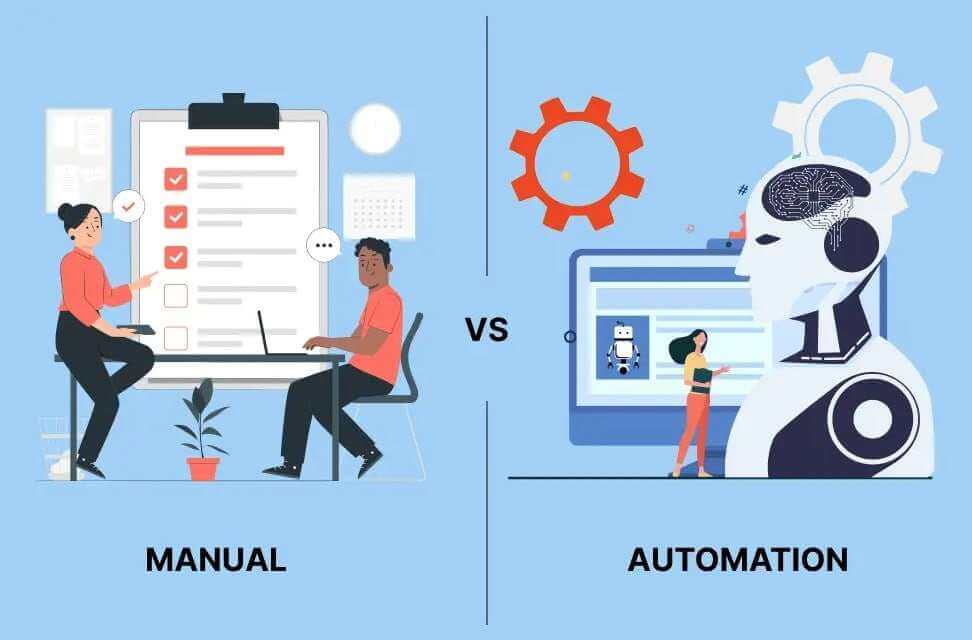
When it comes to software testing, two main approaches are commonly used: Manual Testing and Automation Testing. Each has its strengths, depending on the project size, timeline, and goals. Here’s a simple breakdown to help you understand the key differences between them.
| Feature | Manual Testing | Automation Testing |
| Execution | Carried out manually by testers | Runs automatically using tools and written scripts |
| Cost | Low initial cost (no need for tools) | High initial investment in tools and setup |
| Speed | Slower, especially for repetitive tasks | Much faster and more consistent |
| Suitability | Ideal for exploratory and usability testing | Best for regression and performance testing |
| Scalability | Hard to scale for large applications | Easily scales with growing projects |
Combining Manual and Automation Testing
Manual and automation testing are often seen as separate paths—but in reality, combining them offers far more value than using either alone. A balanced strategy can improve test coverage, boost team productivity, and ensure software is both functional and user-friendly. Here’s how this hybrid approach works in practice:
- Hybrid Testing Approach: Use manual testing for tasks that require human judgment, like exploratory or usability testing. These rely on real-world thinking and user experience evaluation. For repetitive or rule-based testing—such as regression tests—automation is far more efficient and consistent.
- Early and Continuous Testing: In the early stages of development, features change frequently, and manual testing provides the flexibility needed to adapt quickly. As the product matures and stabilizes, automated tests can take over to run checks consistently and at scale, saving time while ensuring quality.
- AI-Driven Insights: Artificial intelligence can support this mix by analyzing test data and highlighting high-risk areas. AI tools help prioritize what to test manually and what to automate, so teams can focus their efforts where it matters most.
- Collaborative Workflows: When manual testers and automation engineers work closely together, the testing process becomes stronger. Collaboration ensures knowledge is shared, gaps are filled, and the final product is tested from both technical and human perspectives.
In short, combining manual and automation testing isn’t just efficient—it’s smart. It allows teams to deliver software that’s not only stable but also intuitive and enjoyable to use.
Role of AI in Manual & Automation Testing
Artificial Intelligence (AI) is reshaping the way software is tested. Whether it’s manual or automation testing, AI brings speed, precision, and smart decision-making to the process. It helps teams test faster, smarter, and with greater accuracy, especially as applications become more complex and user expectations rise. Let’s explore how AI supports both manual and automated testing.
AI in Manual Testing
- Defect Prediction: AI can study historical data from past testing efforts to identify patterns in where defects are most likely to occur. This helps manual testers focus their attention on high-risk areas, making their work more targeted and effective.
- Test Optimization: Instead of running every single test, AI can recommend which test cases are most relevant based on recent changes in the software. This saves time and ensures that manual testers are working on areas that truly matter.
- Visual Testing: Sometimes the smallest visual bugs—like misaligned buttons or inconsistent fonts—can affect the user experience. AI-powered tools help detect these subtle inconsistencies, assisting manual testers in delivering a more polished product.
AI in Automation Testing
- Self-Healing Scripts: Traditional automated test scripts break when the application changes. AI tools can now create “self-healing” scripts that automatically adjust to those changes, reducing the need for constant manual updates.
- Test Generation: AI can review application requirements and generate automated test cases with minimal human input. This helps cover more ground in less time and ensures tests are aligned with business needs.
- Performance Analysis: AI can analyze large sets of performance data to uncover hidden bottlenecks or slow-loading features. This allows teams to resolve issues before they impact users.
- Intelligent Test Execution: Instead of running all tests blindly, AI uses risk analysis to prioritize which tests to run first. This ensures faster feedback on the most critical functions of the software.
How FixPartner Helps You Build Smarter Testing Strategies
Balancing manual and automation testing is key to building high-quality software without wasting time or resources. At FixPartner, we help businesses like yours create efficient, tailored testing workflows that combine the best of both worlds. Whether you’re launching a new app or upgrading an existing platform, here are the best practices to help you get it right:
1. Define Clear Objectives
The first step is understanding what you’re trying to achieve. Are you focused on catching bugs early, improving user experience, or speeding up releases? Manual testing is great for checking how users interact with your product, especially during early development stages or when testing new features. Automation, on the other hand, is perfect for running the same tests repeatedly, like after each code update. When your goals are clearly defined, it’s easier to allocate the right method to the right task.
2. Choose the Right Tools
Your testing tools should match your business needs, not just from a technical standpoint, but also in terms of workflow and team capabilities. FixPartner helps you evaluate and implement tools that integrate with your current systems, support your technology stack, and allow for easy scaling. Whether it’s Selenium for automation or tools for test management, the right setup makes a big difference in your long-term success.
3. Train Your Team
A successful testing strategy depends on a knowledgeable team. FixPartner offers training and upskilling programs to help your QA professionals gain confidence in both manual testing and automation techniques. Empowering your team with cross-functional skills leads to better communication, faster issue detection, and greater testing coverage.
4. Monitor and Optimize
Testing isn’t a one-time event—it’s an ongoing process. That’s why FixPartner recommends regular reviews of your testing efforts. Are tests running as expected? Are they still relevant as your product evolves? We help you analyze performance data, remove outdated cases, and streamline your testing cycle to save time and cost.
5. Leverage AI
Artificial Intelligence is becoming a game-changer in software testing. FixPartner integrates AI tools that can predict defects, recommend which areas to test, generate scripts, and even identify visual bugs that are hard to catch manually. This allows your team to focus on high-priority tasks while AI handles repetitive or data-heavy work.
The FixPartner Advantage
Balancing manual and automation testing isn’t just a technical exercise—it’s a strategic move that protects your brand and satisfies your customers. With FixPartner’s support, your business gains access to modern testing solutions, practical training, and smart automation tools that scale with you. The result? Faster releases, fewer bugs, and a more confident team.
Conclusion
Manual and automation testing are essential components of a robust QA strategy. While manual testing brings human intuition and creativity, automation testing delivers speed, accuracy, and scalability. By combining the strengths of both approaches and leveraging AI-driven tools, organizations can achieve unparalleled software quality and efficiency.
The future of testing lies in striking the right balance between manual and automation testing while embracing AI to enhance workflows. With the right strategy, businesses can ensure seamless, high-quality software delivery in today’s competitive landscape.
Contact FixPartner to turn your quality assurance into a business asset.

